Pay your deposit
Simple, fast & 100% reliable online payment
Secure payment
🔒Maximum protection for your data
The Le Clos St André guesthouse website uses cutting-edge technologies from PayPal (SSL encryption process) to guarantee you an optimal, 100% secure level of protection.
- Total security: Your online transactions and payments are entirely secure.
- 24/7 Vigilance: PayPal integrates a data encryption system and ongoing anti-fraud technology to protect your personal and banking information.
💳 Our accepted payment methods
To confirm your reservation, you can pay your deposit using one of three methods:
1. By Bank Card (via the secure PayPal interface)
Accepted cards: Visa, Carte Bleue, Mastercard.
- Procedure: Fill out our ONLINE RESERVATION FORM, then choose payment by card.
- On the secure page, enter your 16-digit card number, the expiry date, and the 3-digit security code on the back of your card.
- Note: You do not need a PayPal account to pay by bank card.
2. Via PayPal Account
- Procedure: Fill out our ONLINE BOOKING FORM, then simply log in to your PayPal account or create one in a few clicks to finalize the transaction.
3. By Bank or Postal Cheque
- Procedure: Download and complete our official document: RENTAL AGREEMENT TO PRINT.
- Send your duly completed, signed, and stamped agreement, along with your deposit cheque made payable to LE CLOS ST ANDRE, to the following address:
Address:
LE CLOS ST ANDRE
5 Rue Laënnec
29390 SCAËR
Confirm your room booking with complete peace of mind
🔒Secure Online Deposit Payment
To officially confirm your booking at Clos St André, you can pay your deposit securely on our website.
100% secure processing via PayPal
To guarantee complete protection of your transaction data, the website www.le-clos-st-andre.com uses the professional platform PayPal. You thus benefit from one of the most reliable and secure encryption systems in the world for online payments.
💳 A PayPal account is OPTIONAL: Pay directly by Bank Card
It is absolutely not necessary to have or create a PayPal account to make your payment. You can pay directly with your usual bank card.
How to proceed?
- Fill in your booking details.
- At the time of payment, simply click on the "Pay by credit card" button (as shown in the example below).
- Enter your bank details with complete peace of mind on the secure page.
⚠️ Important reminder: You must absolutely Check Availability with your host before proceeding with the payment of your deposit.
The fastest way to confirm your dates
How to pay your deposit by Credit Card?
Follow these 7 simple steps to securely complete your payment:
- Start the process: Click on the "Online deposit" button, then on "Next".
- Calculate the amount: Multiply the number of rooms by the number of nights, keeping in mind that the minimum amount is €20.00 per room per night (Example: 1 room x 2 nights = €40.00). Then add this amount to your cart.
- Check your cart: Verify that the calculated amount matches your calculation.
- Choose the payment method: Click on the "Credit Card" button (or on "PayPal" and then select the Credit Card option).
- Fill in your information: Check the amount displayed in the cart one last time, then complete the form with your contact details (Last name, First name, Country, card type, etc.).
- Provide your email: Carefully enter your email address. Your payment confirmation will be sent to this address immediately.
- Finalize your reservation: Click on the "Buy" button to definitively confirm the transaction.
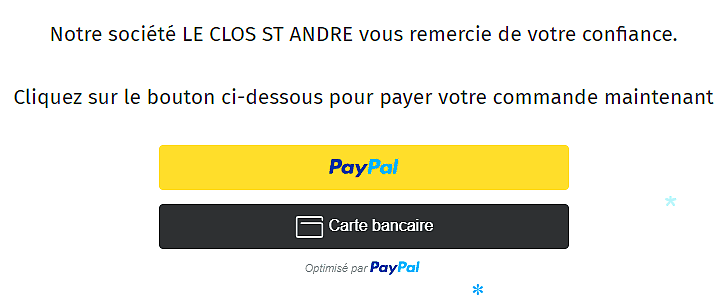
Direct & secure payment area
Pay your deposit or invoice online here:



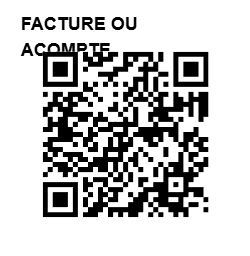
Instant payment via QR Code
Fast payment via PayPal (QR Code)
You can pay your deposit or invoice simply and contactlessly via PayPal.
Note: This method requires having a PayPal account. If you do not have one, you can create one here..
How to proceed?
- Scan the QR code on the right with your app.
- Enter the amount to be paid.
- Important: In the "Add a comment" (or "Note") section, please specify the nature of your payment to facilitate our accounting.
- Example: "Stay deposit - [Your Name]" or "Invoice - [Your Name]".